
Powered by 
Making Vision Care Accessible & Affordable
Online vision testing platform that runs on any computer or tablet for the screening & long term monitoring of eye diseases.
Trusted by clinics & research partners worldwide


Our Benefits
Better Vision Care for Everyone
Substantially Lower Cost
Up to 80% lower testing cost than conventional perimetry, no specialised hardware to buy or maintain.
Portable and Mobile
Web-browser software that runs on any laptop, desktop or tablet, in clinic, in outreach, or at home.
AI-Supported Test Reliability
Patented AI face & eye detection keeps every test accurate and reliable, even unsupervised.
Progression Trend Analysis
After three tests, the platform automatically tracks visual-field change to monitor glaucoma progression.
Supports 31 Languages
Native audio prompts and on-screen text in 31 languages, including 10 from the Indian subcontinent.
Lower Testing Time
Patient-friendly and easy to understand, a full test takes 3–5 minutes per eye.

What We Do
A leap in how we detect, monitor and manage eye care.
- Web-based, state-of-the-art perimetry that runs on any tablet, laptop or computer.
- Removes the bulky, expensive equipment that has long limited widespread access.
- Comprehensive perimetry: 24-2, 10-2, 30-2, Esterman driving and Pilot protocols.
One Software for all your Vision Problems
Detect and monitor disease across the visual pathway.
Glaucoma
Non-glaucomatous optic neuropathy
Retinitis pigmentosa
Thyroid eye disease
Brain tumours
Strokes: visual-field deficits
Step by Step
How the Software Works
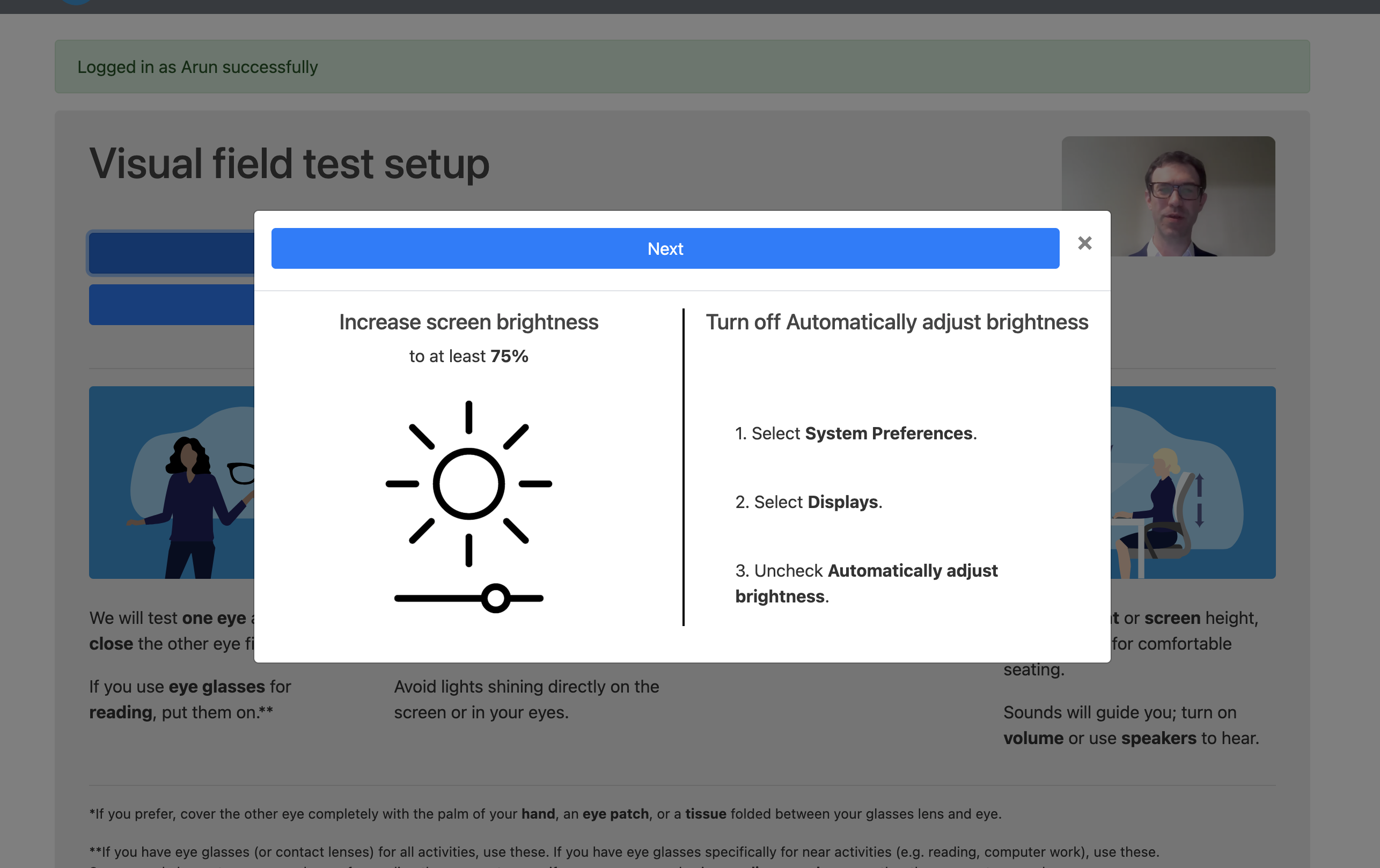
Screen Calibration
Our software guides the patient through setting brightness to at least 75% and disabling auto-brightness, ensuring stimuli are presented at the correct intensity on any display.
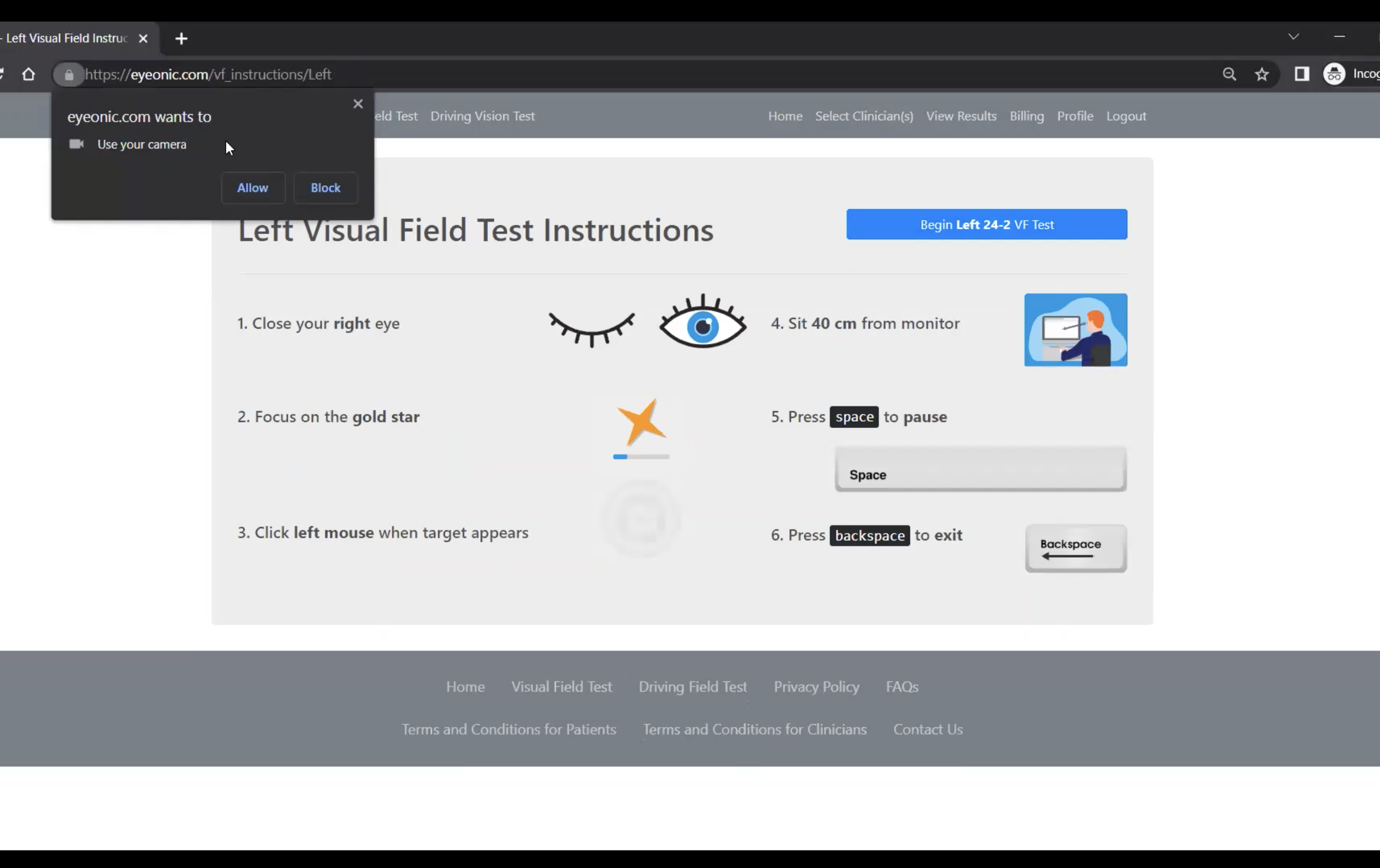
AI Monitoring
The device camera monitors head position and eye gaze in real time. The patient is walked through clear on-screen instructions before the test begins.

The Test
The patient covers one eye and fixates on the gold star. Small light stimuli appear at different peripheral locations; the patient clicks when they see each one.
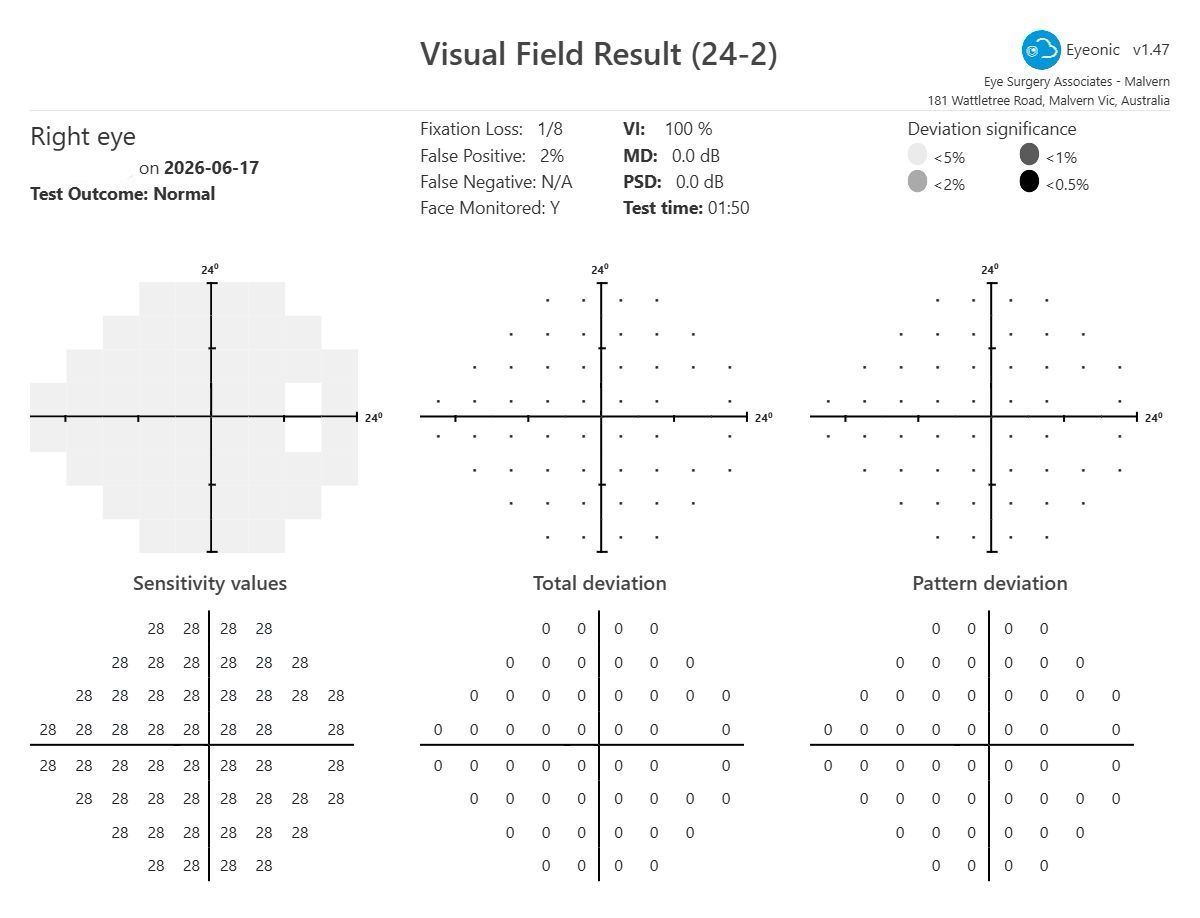
Adaptive Algorithm & Reporting
Sophisticated algorithms map visual field sensitivity. Clinicians instantly receive an encrypted report with sensitivity maps, deviation analysis, MD, PSD and a Visual Field Index score.
FAQs
Frequently asked questions.
What kind of device do I need?
Any PC, laptop or tablet with a camera and an internet connection, no specialised hardware required. A laptop is often the best balance of screen size and portability.
How accurate is the system?
Validated across 14 peer-reviewed clinical studies, demonstrating high accuracy comparable to traditional in-clinic methods. Intraclass correlations for Mean Deviation reach 0.93 against the gold-standard Humphrey Field Analyzer.
Which testing strategies are available?
24° visual field (glaucoma), 30° (neurological), 10° (macular / advanced glaucoma), binocular driver's licence, and monocular pilot's licence.
Is the test regulatory approved?
Eyeonic is a registered medical device across 10 countries, including CDSCO Class A (India), FDA (USA), CE Mark (Europe), TGA (Australia), and UKCA (UK), with more registrations in process.
How secure is my data?
Security was designed with Microsoft to the highest standards on Microsoft Azure. The AI uses head shape only for positioning. it does not capture facial features. Results are visible only to you and your nominated clinician.
Start testing from any device.
Bring clinically validated visual field testing to every patient, in clinic, in outreach, or at home.
Contact Us
Book a Demo Call
Form placeholder: not yet wired up. Connect to your CRM or email service to make it functional.